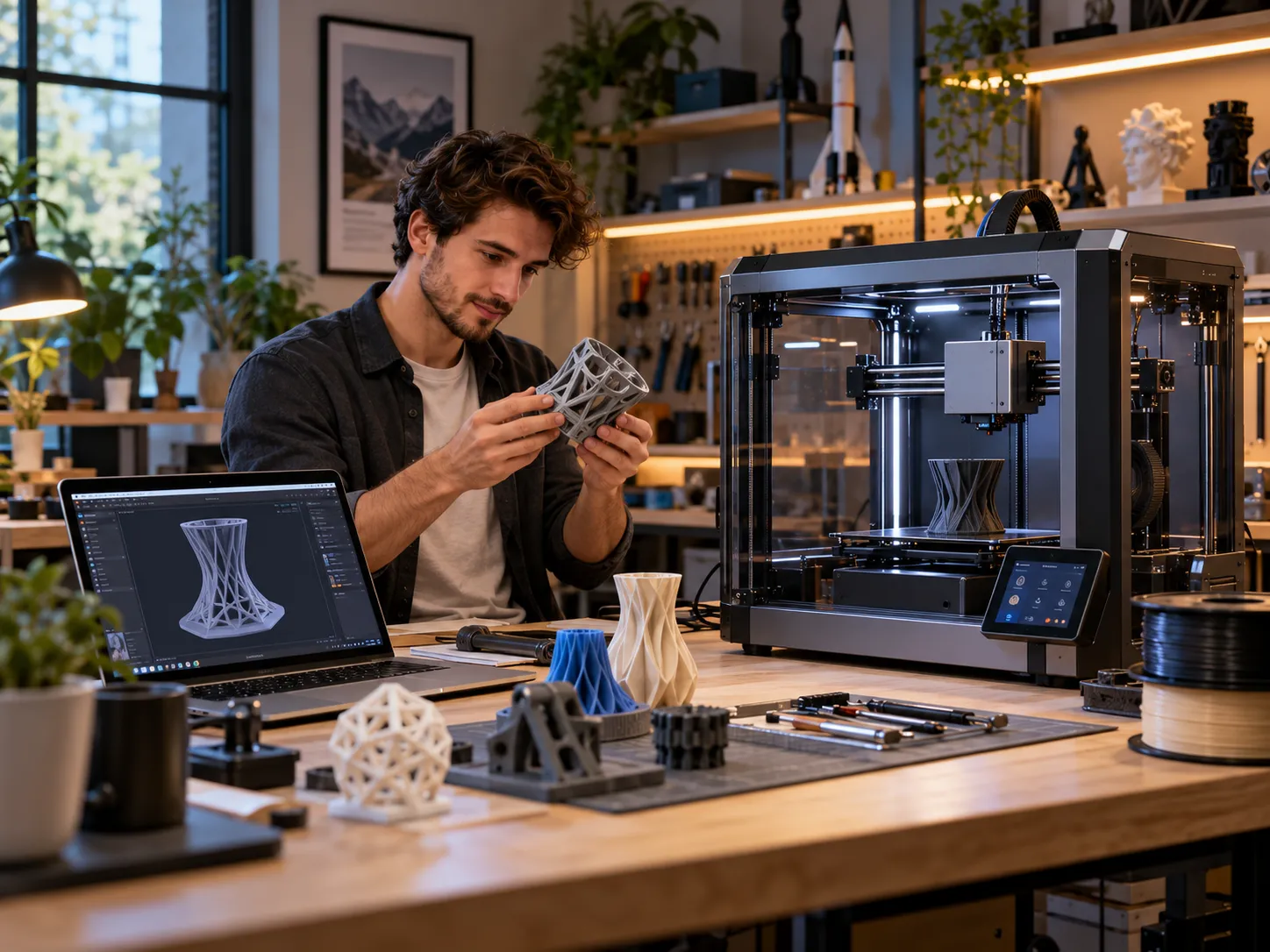
Independent brand overview · Maker technology
Updated October 22, 2026 | Prices in USD
Building something useful at home once required separate tools and a dedicated workshop. Desktop 3D printers have made prototyping more accessible, while modular machines promise even more creative possibilities. Snapmaker sells both specialized printers and multifunction fabrication equipment, but choosing the right system takes more than comparing speed figures.
In this Snapmaker review, we examine the official product range, five relevant listings, current starting prices, common buying questions and customer protections. This is a research-based review, not a hands-on test of these machines. The central question is straightforward: Which Snapmaker product makes sense for the work you actually plan to do?
What Is Snapmaker?
Snapmaker makes desktop equipment for creating physical objects. Its range includes 3D printers, laser and CNC-capable systems, filament and upgrade modules. The company appeals to hobbyists, designers, educators and workshop users with different needs. One important distinction is that a printer offering multiple colors does not necessarily support laser engraving, and a three-in-one system has different training and safety considerations than a standard printer.
What Stands Out About the Brand?
- Different workflows: Dedicated multicolor, independent dual-extruder and multifunction machines.
- Expandable ecosystem: Optional covers, toolheads, filament and parts are available.
- Detailed specifications: Product pages explain many core capabilities and limitations.
- Potential tradeoffs: Add-on costs, maintenance, software learning and workspace requirements should not be overlooked.
Five Snapmaker Products to Know
The following prices are advertised starting prices, not universal checkout totals. Regional store selection, bundles, shipping and availability can change the amount paid. Product descriptions summarize the manufacturer’s specifications rather than independent laboratory results. [1]
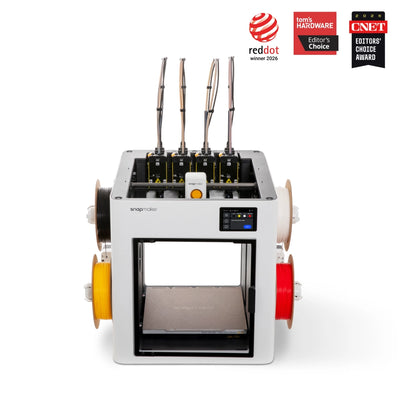
Multicolor 3D printing
Snapmaker U1 3D Printer
From $749.00 USD
Four independent toolheads are U1’s main selling point: each color or material remains loaded separately, reducing repeated purging. Snapmaker claims approximately five-second tool changes, a 270 × 270 × 270 mm build volume and speeds up to 500 mm/s. Actual results depend on the model and settings. Its open top also makes the optional enclosure relevant for certain engineering filaments. [2]
Buyer note: Consider for four-color prints and less filament waste.
Browse Snapmaker Store
Modular fabrication
Snapmaker Artisan 3-in-1 3D Printer
From $1,849.00 USD
Artisan offers 3D printing, laser engraving and CNC carving through interchangeable modules. Official specifications highlight dual extrusion, a 200W CNC module and a large 400 mm class work area. Different configurations offer different laser modules and accessory bundles. The machine and enclosure demand meaningful workspace, making it more suitable for committed makers than someone who only wants occasional plastic prints. [3]
Buyer note: Compare included modules and space before paying for versatility.
Browse Snapmaker Store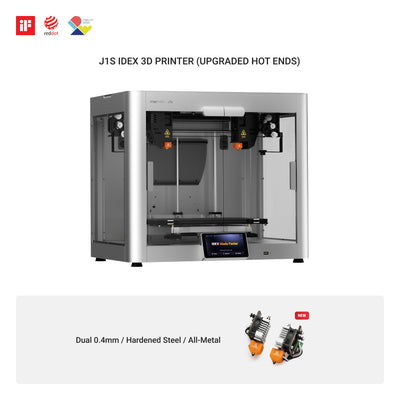
Independent dual extrusion
Snapmaker J1s High Speed IDEX 3D Printer
From $599.00 USD
The J1s uses two independent extruders for copy or mirror mode, dual-material projects and separate support material. The manufacturer advertises a maximum movement speed of 350 mm/s and includes a cooling fan in the J1s specification. Unlike Artisan, it does not add laser or CNC functions. Evaluate your normal part sizes and slicer preferences rather than assuming dual extrusion automatically produces better results. [4]
Buyer note: A focused choice for dual-extruder workflows.
Browse Snapmaker Store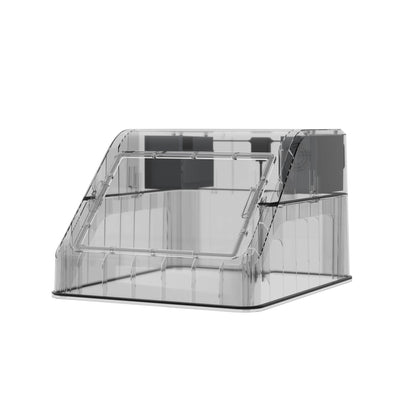
Optional enclosure accessory
Top Cover for Snapmaker U1
From $149.00 USD
This accessory adds passive chamber heat retention up to 50°C, airflow modes and three-stage filtration in its internal circulation mode, according to Snapmaker. It may make additional materials more practical, but it is not a promise of emission-free printing. Ventilation and the specific filament’s safety guidance still matter. Regional shipping and preorder status should be checked before purchasing. [5]
Buyer note: Explore when upgrading a U1 beyond simple PLA jobs.
Browse Snapmaker Store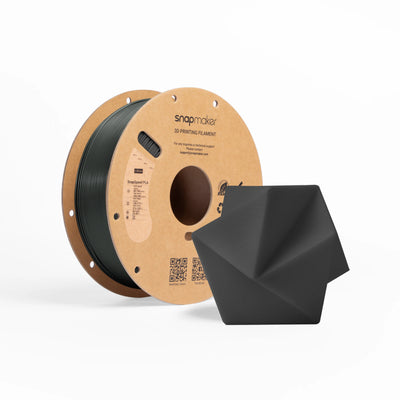
Printing material
SnapSpeed PLA Filament (RFID) – 1kg
From $22.99 USD
SnapSpeed PLA targets everyday prototypes and colorful decorative projects. The brand advertises smooth extrusion and printing up to 300 mm/s with appropriate settings. Its automatic RFID identification works only on the U1, although the filament can be used in other compatible FDM printers without that feature. Check color, temperature guidance and bulk pricing before ordering. [6]
Buyer note: A sensible consumable to consider alongside a compatible printer.
Browse Snapmaker StoreWhich Model Makes Sense for You?
For multicolor prints: Look closely at the U1 if you expect to change colors frequently. A four-toolhead printer can avoid much of the waste associated with changing filament through one nozzle, although it is still necessary to consider priming, calibration and slicing. For repeated dual-material parts or copy printing, compare the J1s instead.
For a mixed workshop: Artisan may be more useful when you have concrete projects needing 3D printing, laser engraving and CNC carving. It is a significantly different investment in equipment, preparation and workspace. If your projects are almost entirely plastic prints, you might not need the extra fabrication functions.
Software, Maintenance and Real-World Use
Printer specifications tell only part of the story. Calibration, slicer profiles, filament condition and maintenance can determine whether a model prints cleanly. An independent U1 review praised its toolchanger design while identifying some early software quirks. Software evolves, so evaluate current firmware notes and owner feedback rather than treating one older review as a permanent verdict. [9]
Safety and Workshop Setup
Before ordering, measure your bench, storage space and available ventilation. Laser and CNC equipment requires appropriate safety procedures; protective enclosures do not remove every risk. Heated beds, nozzles, moving tools, fumes and dust also call for careful handling. Follow the instructions for both the machine and material involved.
Shipping, Returns and Warranty
Snapmaker has country-specific stores and a defined list of shipping destinations. Its global shipping policy generally estimates 7–14 business days after dispatch, but dispatch timing, regional stock and available shipping routes vary. Some countries are not directly served, so check support or an authorized reseller if yours is missing. [7]
The official refund page lists 14-day eligibility conditions for certain defective, transit-damaged or unopened items. It also describes a typical restocking fee and return-shipping responsibilities. Limited warranty coverage is generally one year outside the EU and two years in the EU, with component exclusions. These terms deserve attention on a high-value purchase. [8]
Our Overall Snapmaker Review
Snapmaker deserves consideration for its distinctive approach to desktop manufacturing. But buy for a defined project, not for a dramatic advertised discount. Verify machine configuration, material compatibility, spare parts, software requirements and local after-sales options before making a decision.
Frequently Asked Questions
Can the Snapmaker U1 engrave wood?
No. The U1 is a 3D printer; look at the Artisan platform for separate laser and CNC capabilities.
Does Artisan include all add-on modules?
Not necessarily. Accessories vary with the selected bundle, so compare its contents before checkout.
Is Snapmaker suitable for beginners?
Some printers offer guided setup, but beginners should expect to learn basic slicing, material settings and machine safety.
Sources and References
- Snapmaker Official Store: current range and starting prices.
- Snapmaker U1 Product Page: toolheads, speed and build volume.
- Snapmaker Artisan Product Page: modules and configurations.
- Snapmaker J1s Product Page: IDEX specifications.
- Snapmaker U1 Top Cover: accessory specifications.
- SnapSpeed PLA Filament: material specifications.
- Snapmaker Shipping Policy: supported destinations and estimates.
- Snapmaker Refund and Warranty Policy: terms and exclusions.
- Tom’s Hardware U1 Review: independent hands-on report published in 2025.
Product information reviewed October 22, 2026. Prices, stock and policies may change; verify them on the official website before purchasing. Product pictures are linked from Snapmaker-hosted material.
 ✓